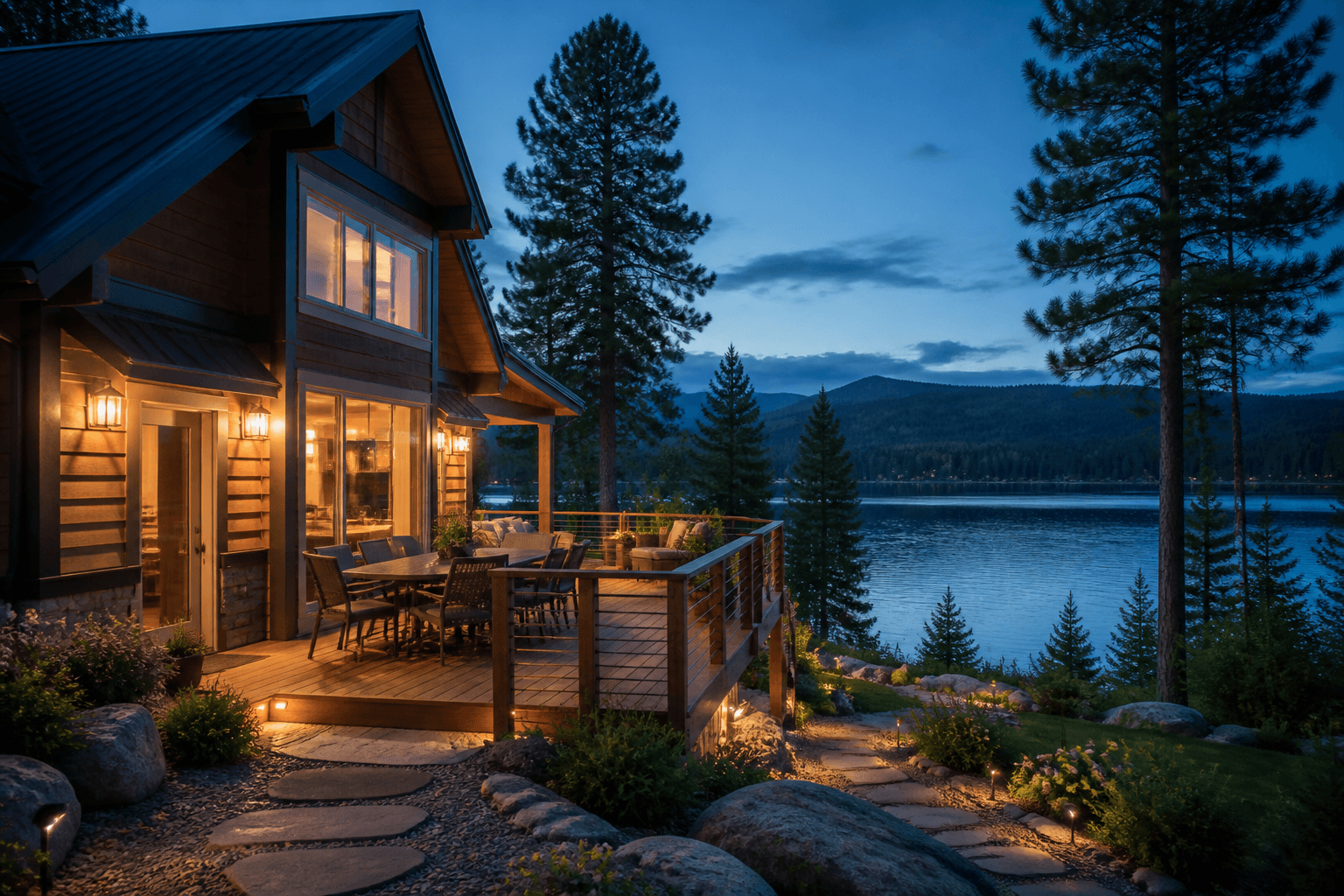
A twilight photo can show what makes a deck, pool or cabin entrance inviting in the evening. Use it alongside clear daylight photos, not instead of them. Guests still need to see the space, what's around it and the amenities they're booking.
In this guide
Choose what the evening photo should show
A home-sale gallery is selling ownership. A rental gallery is selling a particular stay: arriving after dark, dinner on the deck, coming back from the beach, a soak in the hot tub, watching the city lights. Twilight only helps when it makes that real experience easier to picture.
Welcome and wayfinding
Show the real entrance, where it is on the street, the path, stairs, where you park and the outdoor lights.
Evening use
Show the pool, hot tub, deck, fire feature, dining area or courtyard guests can actually use.
View and destination
Connect the place to a real lake, mountain, skyline, garden or waterfront.
Portfolio consistency
Give a group of properties a recognisable evening look, without making every stay look the same.
If you can't say what the photo is for, it probably doesn't need to be a twilight. A bright kitchen, an accurate bedroom setup, an accessible bathroom or a shot showing how the rooms flow might serve guests better in daylight.
Match the image to the property type
| Property | Strong twilight subject | Accuracy risk |
|---|---|---|
| Cabin or retreat | Arrival, the deck, a glowing fireplace, a lake or mountain setting | Path lights that aren't there, exaggerated seclusion, a hidden road or neighbours |
| Coastal or lake stay | A water view, balcony, how the dock connects, eating outside | A moved horizon, changed water access, the sunset on the wrong side, buildings erased |
| Urban rental | A balcony, skyline, the building entrance, a rooftop terrace | A made-up view, construction left out, shared amenities made to look private |
| Hotel or resort | The arrival court, pool, restaurant terrace, courtyard or front of the building | Closed amenities, a sample room shown as the exact one, busy areas made to look private |
Where should twilight appear?
Choose the property and what the photo is promising guests.
Only lead with a gentle twilight shot if guests will actually get this experience during the stay you're advertising. Follow it straight away with clear daylight photos.
Show daylight photos too
Airbnb currently describes the first five cover photos as the most important, and says the first appears large in search. That makes the order matter, but it doesn't mean the first photo should always be a twilight. Choose the clearest promise for the stay.
Your strongest honest overview: a twilight arrival, a daylight exterior, the main interior or the view.
Where people sleep, the living space, kitchen, bathroom and the main amenity or view.
How the rooms connect, the other bedrooms, somewhere to work, storage, dining, accessibility and getting around outside.
More twilight, lifestyle details, shared amenities and accurate nearby surroundings.
Don't publish five versions of the same dusk exterior while a bathroom, second bedroom, the way in or a shared space goes unexplained. Guests should understand what's private, what's shared and how the spaces connect.
Show pools, decks, hot tubs, and fire features honestly
Evening light suits amenities, but it can also hide their size, fences, wear and tear, access and when they're open. Pair the mood shots with daylight photos that explain things.
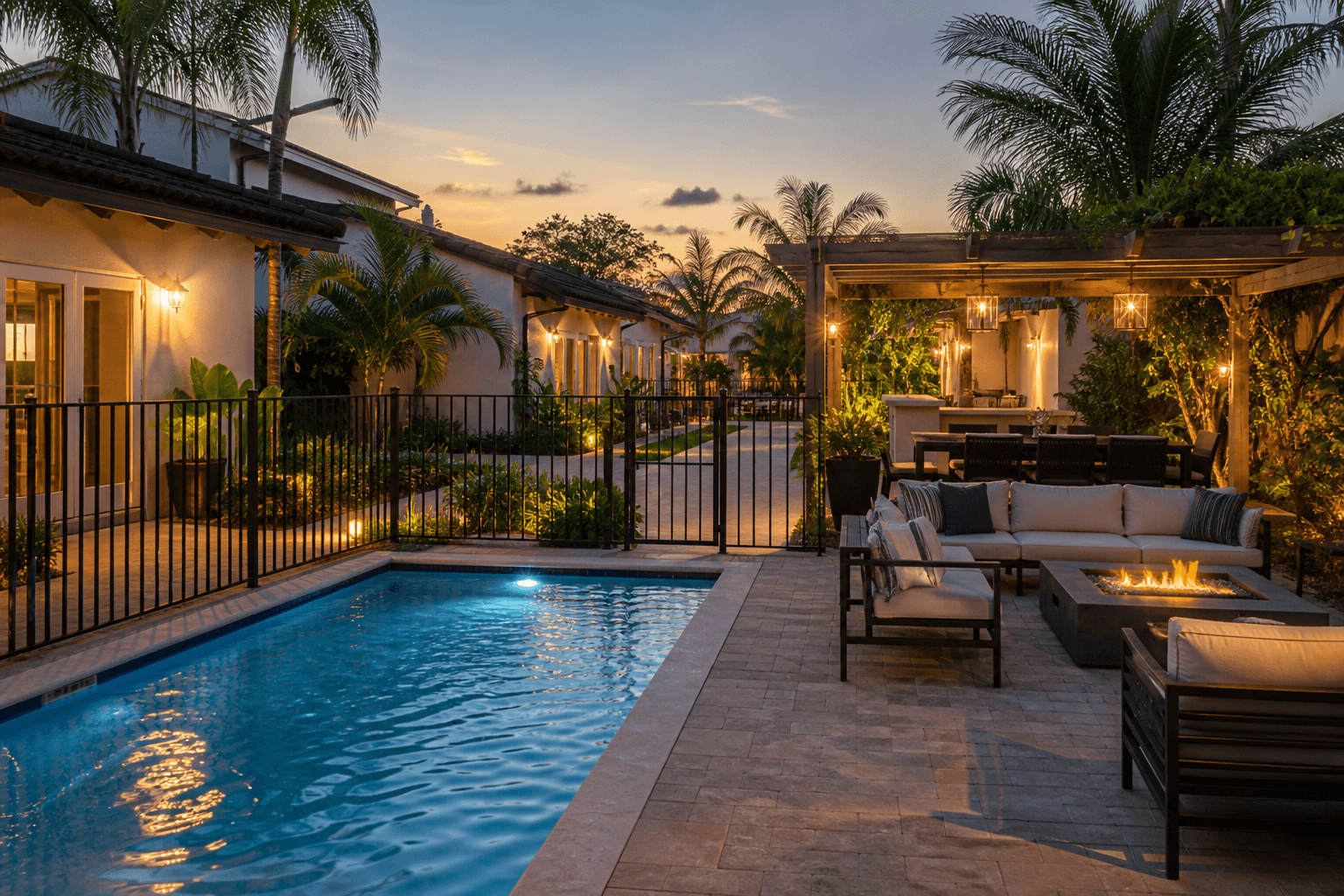
- Show the real size of the pool or spa and how guests get to it.
- Don't remove fences, gates, covers, signs, neighbouring buildings or safety equipment.
- Clearly caption anything shared, restricted, seasonal or only open at certain times.
- Keep fire and light effects modest, and match them to the fixtures that are really there.
- Take a daylight version too, to show surfaces, steps, fences and how the furniture is laid out.
Keep skylines, water, mountains, and neighborhoods truthful
Virtual twilight can change the light. It shouldn't change the geography. Keep the real horizon, shoreline, buildings, trees, weather and the direction of reflections. Don't widen a sliver of water, erase a road, move a mountain, remove the neighbours' balconies or make a shared view look private.
Photograph from where guests will actually stand, and say whether it's from a room, balcony, deck or shared space.
Don't suggest a beach, trail, restaurant or landmark is on site when it isn't.
A calm evening edit should still match the landscape and conditions you can see in the original.
Hotels should make clear whether a photo shows the exact room or a typical one, when rooms differ.
Manage seasons across one property or a portfolio
A good library of original photos lets you make new marketing crops and gentle seasonal campaigns, but the published gallery has to stay current. Airbnb's host quality guidance specifically says seasonal amenities like pools should be updated when they close.
| Safe reuse | Update before publishing |
|---|---|
| The same deck, furniture, garden, fixtures and access as now | The furniture's changed, the pool's closed, there's snow, a fire ban, construction or storm damage |
| A different twilight mood from a current full-resolution photo | Asking for summer greenery, open amenities or weather that changes what guests are promised |
| The same crop and colour treatment across a group of properties | One generic photo reused for different units, views or amenity setups |
Keep a simple record for every property: when it was shot, the season, the unit, the room or amenity, the original file, when it was edited, whether it's available now and every channel the photo is used on. Archive the original rather than saving over it.
Choose a clear daylight photo
Start with a sharp, full-resolution file that shows the place, the architecture, the amenity, the paths, the garden, the fences, the view and the lights that are really there. Avoid black shade, blown-out skies, heavy compression, motion blur, extreme wide-angle distortion, blocked access and clutter.
- Get the best composition in daylight before you change the light.
- Keep the verticals straight and the horizon level.
- Keep detail under decks, pergolas, eaves, trees and balconies.
- Show the real permanent lights clearly enough that light can be placed where it makes sense.
- Take another angle when one photo can't show both how to get there and the mood.
- Keep the original file, and a note of which property it's from, with the finished result.
Check the finished image before it reaches every channel
| Review lens | Questions to ask |
|---|---|
| Guest | Would I reasonably expect this view, amenity, privacy, access, season and evening experience when I turn up? |
| Operator | Is the photo filed under the right property, unit, room, amenity, season and channel? |
| Visual quality | Do the sky, windows, lights, water, fire, shadows, reflections, grass and edges all agree? |
| Platform | Do the gallery, captions, resolution, crop and amenity descriptions all line up with the place? |
Look at it at thumbnail size and at 100%. A cover photo has to stay clear when it's small, and the full-size file has to hold up around railings, branches, water, rooflines, window frames and furniture. When you're not sure it's accurate, use the daylight original or reshoot.
Compare three evening styles on the real property, amenity and setting.
Hospitality virtual twilight FAQ
Does virtual twilight work for vacation-rental listings?
Yes, when it adds a believable evening mood to a property and amenities guests will actually get. It should support a complete, up-to-date gallery. It shouldn't replace clear daylight photos, or add lights, views, fire features, pools or access that aren't there.
Should a twilight photo be the cover image?
Use it as the cover when arriving in the evening, the setting or a big amenity is what the stay is about, and you can still read the photo as a thumbnail. Otherwise lead with the clearest daylight overview and put the twilight further into the gallery.
Can I show a pool at twilight if it is seasonal?
Only if the context is clear and current. The listing should say when the pool is open, and the gallery should be updated when it closes or changes. Don't let an evening photo suggest it's available all year.
Can virtual twilight add lights to a vacation rental?
It can show the mood created by real, permanent lights that are in the original photo. Adding lights, a fire pit, lit-up landscaping or glowing windows that don't exist can misrepresent what guests will get.
How many twilight images should a hospitality gallery use?
Usually one strong cover option plus one or two shots of an amenity or the view is plenty. The rest of the gallery still needs clear daylight photos of the rooms, beds, bathrooms, access, safety features and the real condition of the place.