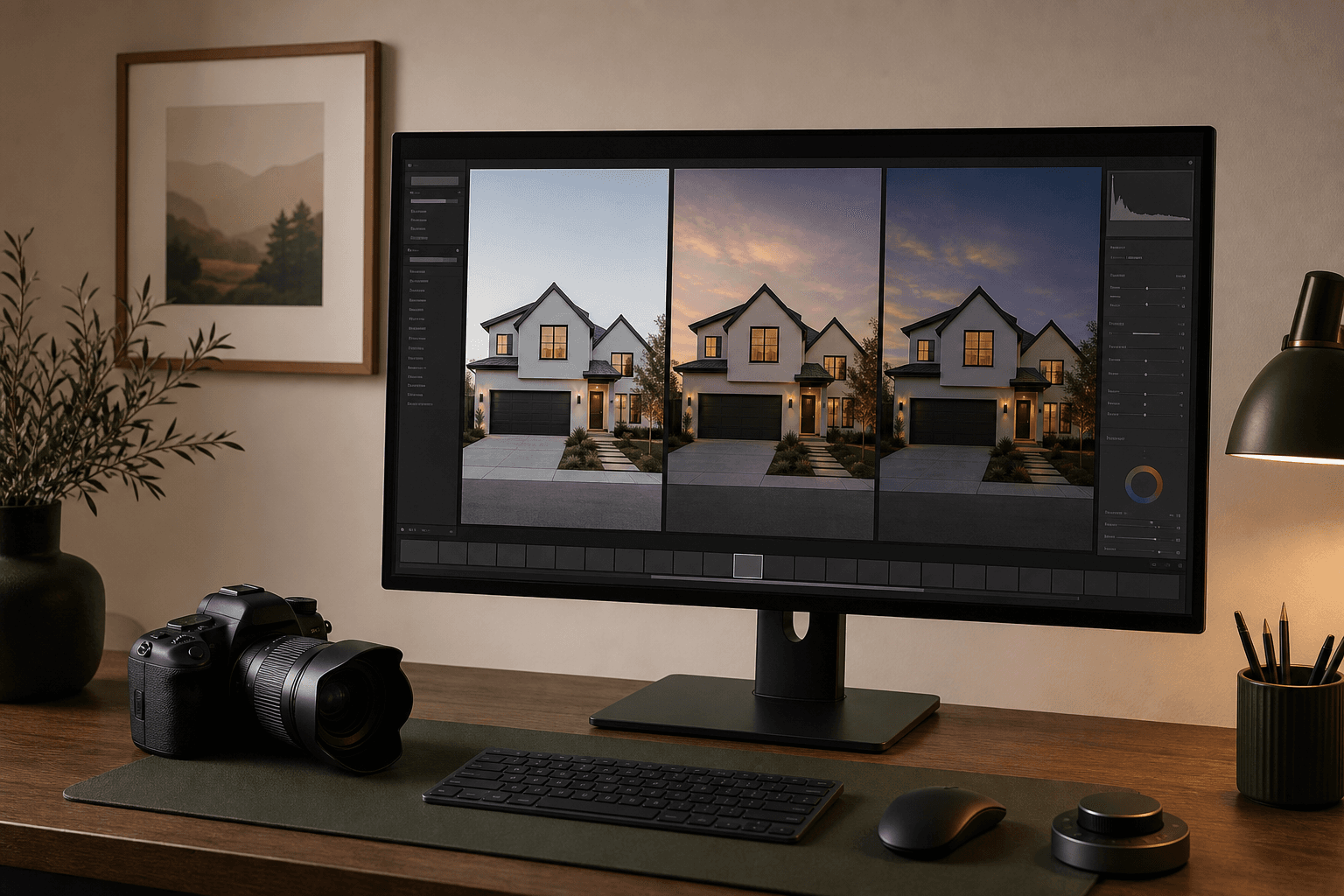
AI is handy when you want a quick evening version of a photo you already have. Photoshop gives you finer control over the small details. A human editor takes the work off your hands. Which one's right depends on the photo, your time and how much fixing the result needs.
In this guide
Compare the finished work, not just the first attempt
Creating or masking the twilight look is only one part of the job. Picking the photo, writing the brief, waiting, checking, fixing, exporting and talking to the client all count too. The option that looks cheapest at checkout can end up costing more once you add checking time and redoing work.
| Criterion | AI tool | Photoshop | Human editor |
|---|---|---|---|
| Typical strength | Fast first result | Precise direct control | Delegated judgment |
| Skill required | Low to start; strong review skill | High editing skill | Clear briefing and QA |
| Hands-on time | Usually lowest | Usually highest | Low, plus feedback |
| Creative control | Direction-based | Pixel-level | Brief and revision based |
| Batch volume | Strong when queued reliably | Limited by operator time | Depends on service capacity |
| Architecture risk | Generative drift is possible | Lower with careful masking | Depends on editor and process |
| Best fit | Routine volume and rapid options | Exacting one-offs and corrections | Outsourced production and complex briefs |
AI tools trade manual masking for review
With AI day-to-dusk you usually just give it a photo and a look, and it hands back a new version. That skips most of the repetitive masking and colour work, so you can try several candidate photos quickly. The trade-off is less control over exactly what changes. You still have to compare the result with the original for changed rooflines, windows, garden, fixtures, reflections or textures.
You need something fast, and you can send the tricky ones for a manual check.
Things in the way, tiny details, harsh shadows and reflections all make problems more likely.
Relight Spaces packs currently work out to $0.40 to $0.75 USD per finished image.
Use a typical exterior, not your easiest one, and check the finished file at full size. Your first relight doesn't need an email, and adding your email gets you two more free. No card needed.
Photoshop makes the editor responsible for every decision
Doing it by hand might mean masks, curves, colour balance, sky work, window fixes, local exposure and a bit of cleanup. In skilled hands it's the most controllable route, because every change can be separated out, tweaked and kept on its own layer. It's also the easiest to underestimate. One polished lead photo can quietly eat hours, and delivering a consistent batch takes disciplined actions, naming and checking.
Adobe's US pricing page listed the Photography plan at US$19.99 per month and Photoshop on its own at US$22.99 per month on August 27, 2026, both on annual plans paid monthly. That's just the software. Your time, learning, computer, storage and revisions are all part of the real cost.
What a human editor takes off your hands
A specialist service makes sense when you're short on editing time, or a brief needs judgement that no preset can give you. You send the photo, they apply their process, and you get back a proof or a finished file. How good it is comes down to the individual editor, how clear your brief was, how busy they are and how they handle fixes.
As one dated example, not an industry average, BoxBrownie's US site listed day-to-dusk editing at US$4 per image when we checked on August 27, 2026. PhotoUp prices in credits and lists day-to-dusk as an extra five-credit edit. Always check the current scope, turnaround, whether a base edit is required and the revision terms before you compare their prices with your own.
Calculate effective cost, not sticker price
Run the same equation for all three methods:
- Direct software or service cost
- Your hands-on minutes × hourly value
- Average correction and rerun cost
- Communication and delivery time
- Storage and administration
- Failed-image allowance
If Photoshop costs almost nothing per image but takes 35 minutes of your time, it can end up dearer than a $4 service. If a service needs two rounds of review, a reliable AI first pass might be cheaper. Track ten real jobs before you settle on one way of working.
Check image quality and building details
The pixel dimensions only tell you whether you got enough pixels. They say nothing about whether the house is still accurate. Check the dimensions and file size, then put the original and the result side by side at 100%. Look at roof edges, siding patterns, doors, windows, railings, fixed lights, the garden, reflections, the sky edge and any fine repeating texture.
The editing method doesn't change what's honest. Don't hide permanent features, damage or the real surroundings just because a tool makes it easy. Keep the original, and call virtual twilight what it is.
Over-masking, halos, lost detail, inconsistent colour and plain human error.
Changes to the structure, light sources that aren't there, altered textures and versions that don't match each other.
The editor misreading the brief, different editors on different jobs, automation you weren't told about, and slow revisions.
Keep the original, check at full size, and note how it was made.
When it helps to combine methods
- Send clean, straightforward exteriors to AI when speed and volume matter.
- Use Photoshop for precise fixes when one small area needs careful repair.
- Give difficult or high-stakes lead photos to an editor you trust when judgement matters more than speed.
- Check everything the same way, so every result gets the same comparison with the original and the same delivery check.
Don't choose a permanent setup off one perfect demo. Try a normal photo, a hard one and a small batch, and keep track of how long it takes overall, how much of your own time, the fixes, the final dimensions and how many you approve before you decide.
Day-to-dusk workflow FAQ
Which day-to-dusk method is best?
There isn't one. AI is usually the quickest first pass, Photoshop gives you the most direct control, and a human service takes the hands-on work off your plate. Which one suits you depends on how many photos you do, your skills, your deadline, how many revisions you need and how much checking you're willing to do.
Is AI day-to-dusk editing fully automatic?
The editing might be automatic, but delivering professional work isn't. Someone still has to check the house, the windows, reflections, garden, whether the light makes sense and the export size before it's published.
Does Photoshop preserve architecture better than AI?
Masking and adjusting by hand lets a skilled editor control exactly which pixels change. That can mean less unexpected change than generative AI, but it still comes down to the editor's skill and how carefully they check.
Is a human editor always higher quality?
No. Human services vary in skill, in how well they follow a brief, in consistency and in how they handle revisions. Ask for samples that match your work and try one difficult photo before you send a big batch.
Can the three methods be combined?
Yes. A sensible mix is AI for suitable everyday photos, Photoshop for precise fixes, and a specialist editor for difficult photos or lead images where a lot is riding on it.
What should be checked before delivery?
Compare the result with the original at thumbnail size and at 100%. Check rooflines, windows, doors, fixtures, reflections, the garden, the sky edges, colour and dimensions.