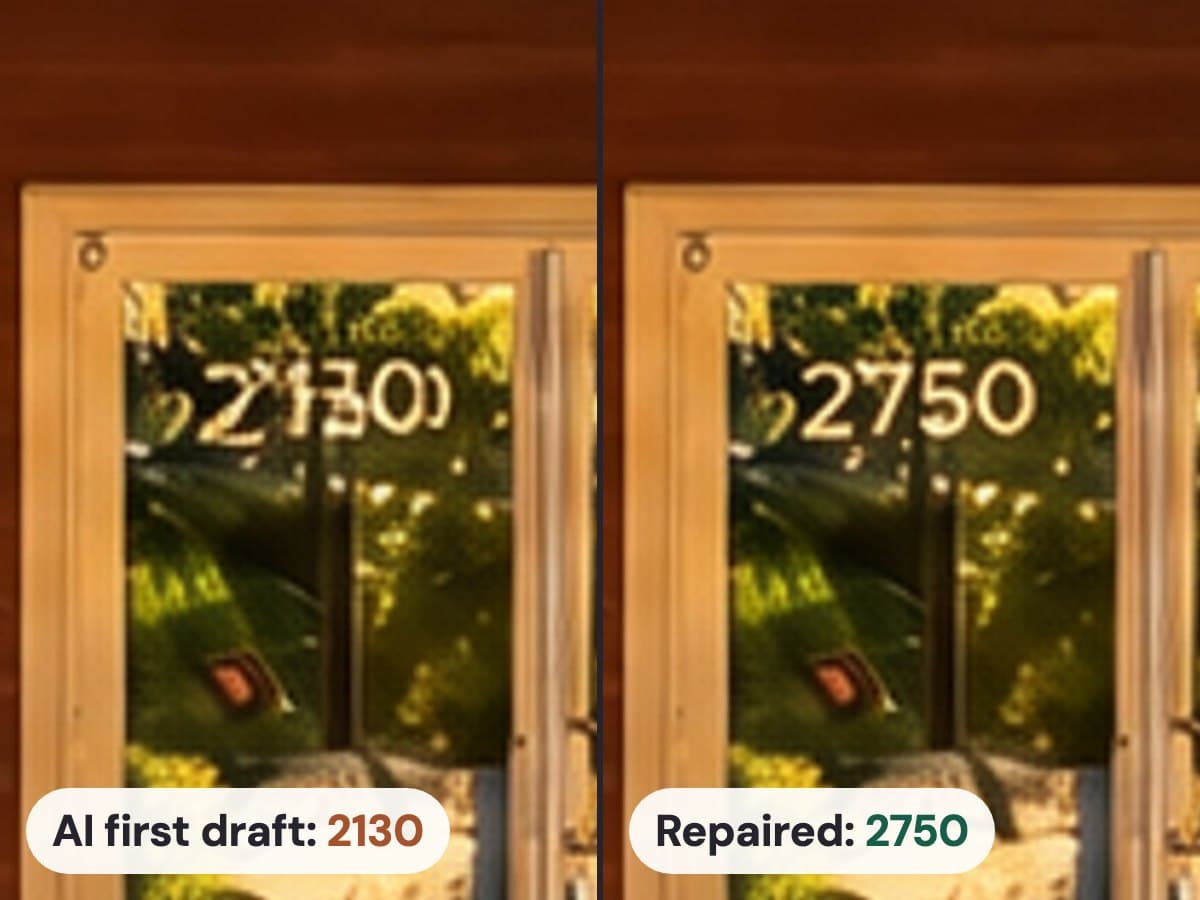
AI photo tools rebuild the whole picture, and to the model a house number is just a few strokes on a wall. So small text often comes back changed: a 7 turns into a 1, a 5 grows an extra stroke, the words on a sign melt. Check every number and sign at 100% before an edited photo goes into a listing, or use a tool that checks them for you.
In this guide
Why it happens
The image models behind AI twilight and relighting don’t edit your photo the way a Photoshop layer does. They draw a new picture that follows yours closely. Big shapes come through well: the roofline, the windows, the driveway. Small, sharp detail is where the model guesses, and it guesses from what numbers and letters usually look like.
Some photos make it worse. A house number shot from the street might be 30 pixels tall. Numbers on a glass door have reflections and plants behind them. A builder’s sign has three lines of small type.
Why a wrong number matters
A house number is a fact about the property. Get it wrong and the photo shows a different address, which is exactly the kind of change buyers notice and listing rules care about.
It’s already made the news. In August 2025, Futurism wrote about a Zillow listing in Newport, Kentucky, where an AI-edited photo “didn’t even get the house number right, showing up as a mangled ‘418,’ instead of 1026.” That’s easy for a buyer to spot and hard to explain to your client.
If you work in California, AB 723 also asks you to disclose altered photos and link to the original. Our guide Are AI-edited real estate photos allowed? covers the rules, and our free “Digitally altered” label tool adds the label for you.
How to check any AI edit
- Open the original and the edit side by side, both at 100%.
- Find every number and sign: the house number, the mailbox, numbers on door glass, the garage, street signs, a builder’s sign, any business name.
- Read each one digit by digit. A 3 in place of an 8 looks fine at gallery size, so don’t trust a quick glance.
- Check numbers on glass twice. The reflections behind them make the model guess more.
- Look for marks that weren’t there: an extra stroke, half a letter, a stray bracket.
How to fix one yourself
- Put the original back. In Photoshop, stack the edit over the original and mask in just the number from the original.
- Match the new light. On a day-to-dusk edit the pasted number will look too bright. Clip a curves layer to it and darken it until it sits right on the wall, and warm it a little if there’s a porch light nearby.
- Or run it again. A second try often draws the number differently, but check it the same way.
How Relight Spaces handles it
We make Relight Spaces, so weigh this part accordingly. When you start a relight, it reads the house numbers and signs in your original. When the relit photo comes back, it reads them again. If one changed, it redraws just that patch to match your original in the new light, reads the redraw again, and only uses it when the checks agree. All of that happens before you see the photo.
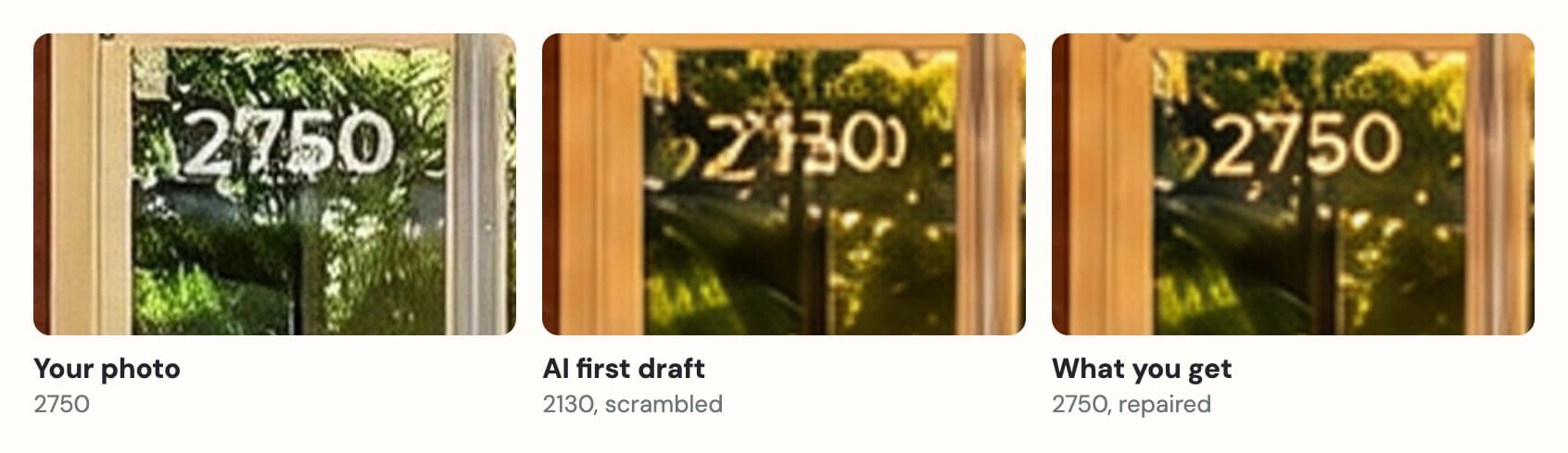
It doesn’t catch every one, so check your results the same way. If a number’s wrong, ask for a fix in My Images. It’s free.
Questions
Does every AI twilight tool scramble house numbers?
Any tool that redraws the whole photo can. We haven’t tested every tool, so try yours on a photo with a clear house number and check it at 100% before you trust it with a listing.
Why did the house number change when the rest of the house looks fine?
A house number is small, sharp and high-contrast, which is the hardest kind of detail for an image model to copy exactly. Walls, windows and rooflines are big and simple next to it, so they come through the redraw much better.
Can I just blur the house number instead?
Some photographers blur numbers for privacy, and that’s between you, your client and the MLS. A scrambled number is a different problem: it shows an address that isn’t the property’s. Fix it or put the original back.
Does Relight Spaces check signs and logos too?
Yes. It reads house numbers, address plaques, mailbox numbers, signs and lettered logos. It tries to repair every house number that changes, plus up to three signs or logos in a photo. It skips clocks and dials, and text too small to read.
What if Relight Spaces gets a number wrong?
Ask for a fix from My Images. It’s free, and the fixed photo gets the same house number check before it comes back to you.